
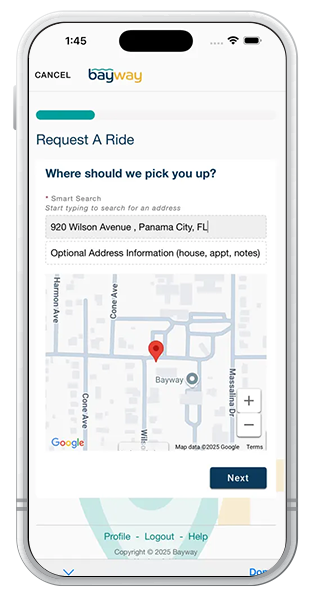
Schedule a ride on Bayway Flex for just $1.50! Simply input a pickup and destination point within the service zone, select your desired arrival time with the ‘Arrive By’ button, and you’ll be moving in no time. Each scheduled ride will have a 20-minute flexibility window to allow for the pickup and drop-off of additional riders.
Bayway Flex operates in the following Service Zones
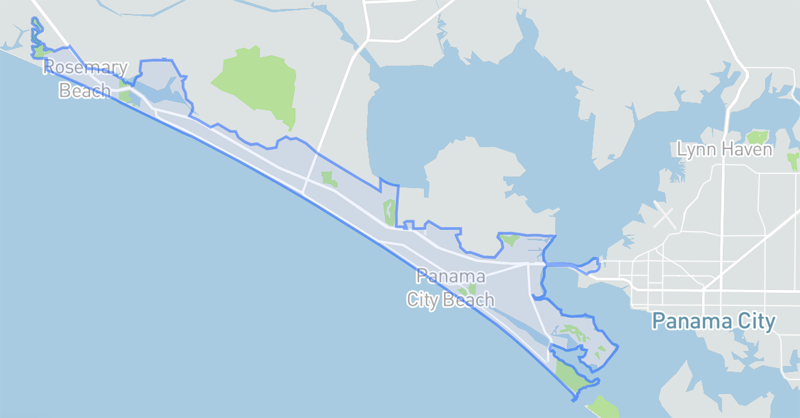
30A Zone
The 30A zone is a geofenced area that includes Panama City Beach and a portion of Walton County. Travel between Panama City Beach and 30A to commute to work or to relax at popular destinations like Rosemary Beach, Laguna Beach, and more.
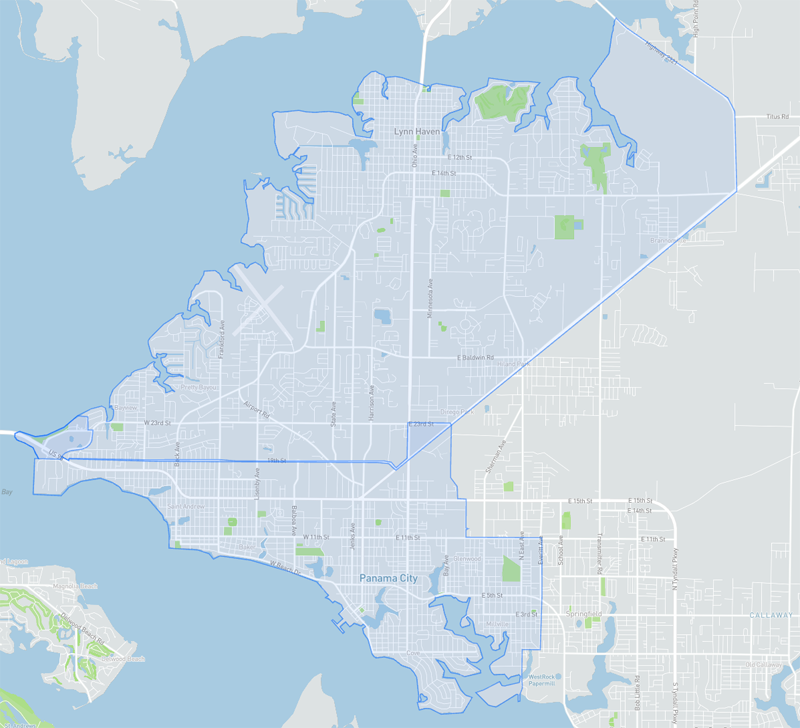
Zones 1&2
Zones 1 and 2 comprise a geofenced area that stretches from the Hathaway Bridge to Bunkers Cove, and north to Lynn Haven.
Book a Flex Ride
We’ve got two easy ways to schedule a Bayway Flex ride.
Download the App


Call our Office
All rides within the Flex zone are a flat $1.50 and can be scheduled for pickup or drop-off within our hours of operation (Monday through Sunday, 6 am – 8 pm). Riders will need to use the ‘Arrive By’ button when scheduling their ride to ensure they reach the destination at their desired arrival time. Rides can be scheduled in live time or up to 5 days in advance. Payments can be made via credit card or the Wallet feature during the booking process, a pre-paid Bayway pass, or with cash when you hop onboard.
Don’t have Bayway Flex yet?
Download the Bayway Transit App
Interested in how you can use Bayway Flex for a corporate program?
Contact us today.
FAQs
Bayway has transitioned to a new technology platform designed to create a more connected rider experience. Over time, the new app will serve as a one-stop shop for Bayway rider services.
No. There are no changes to your existing Bayway services as part of this transition. Only the app used to schedule and access services is changing.
Yes. Because this is a new app and technology platform, all riders will need to create a new account after downloading the app. Your existing Bayway FLEX account will not automatically transfer.
Current pricing will not be affected with this new Oct 1st app change.
We’re here to help. If you have questions or need assistance downloading, setting up or using the new Bayway Transit app, call Bayway at 850-769-0557.
Users can schedule a single trip for up to 6 individuals by using the app or online link. Groups larger than 6 can book by calling 850-769-0557.
Yes, you are required to bring your own car seat for trips with young riders required by Florida law to be buckled in by allowable safety equipment.
Riders can pay for a Bayway Flex trip with a credit/debit card or funds from the Wallet feature at the time of booking or with cash as you hop onboard. The Wallet feature allows riders to load and store funds on the app for a seamless transaction process. If paying with cash, exact change is required. If you have a pre-paid single day or monthly pass, select ‘Pay with a Pre-Paid Pass’ on the app and show the driver your pass when boarding.
Yes! All Bayway Flex rides are included at no additional cost as part of the day and monthly pass purchase.
Yes. Advanced trips can be booked up to 5 days in advance.
The current service area is exclusive to the zones listed above. Try zooming out to see the available service zones (indicated in blue).
You can still book a Flex ride without a smartphone. You can use our online link or call our office at (850) 769 – 0557.
The virtual stops are designated locations that are identified on the Bayway Flex app. The stops do not have physical signs, so please navigate to the location of your approximate virtual stop to wait for the Bayway vehicle (similar to a school bus stop).
To ensure you reach your destination at your desired arrival time, make sure to schedule your trip using the ‘Arrive By’ button. This allows the system to calculate the most accurate time for you to meet at the pickup point to begin your trip.